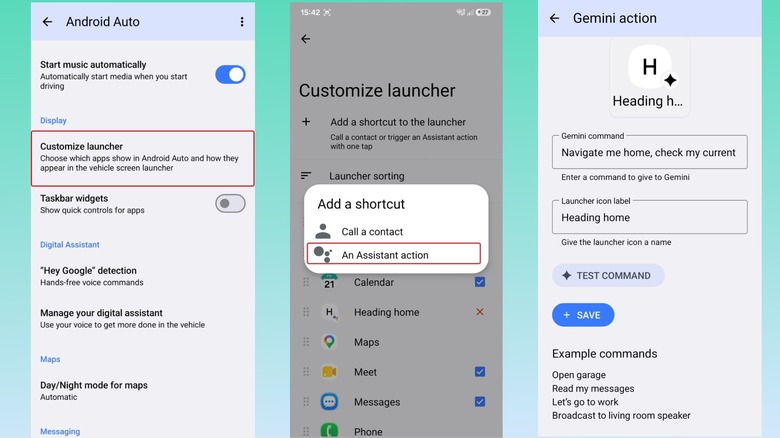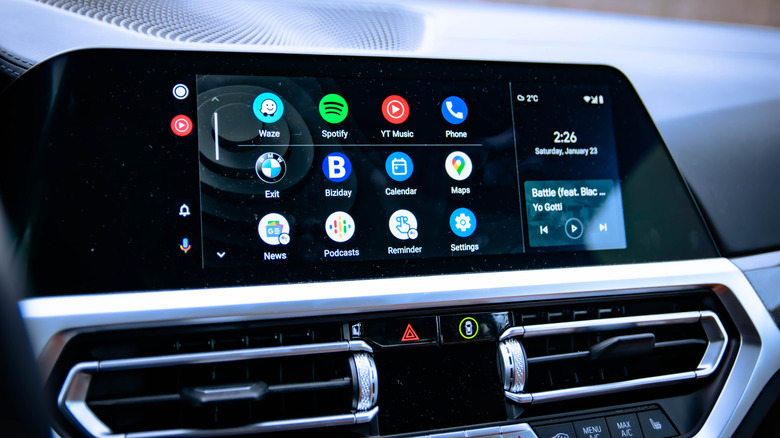
Android Auto’s default setup leaves most drivers missing out on key features, but a few adjustments can reshape the platform for better safety and convenience. Cleaning up the home screen removes clutter by hiding unused apps, while developer settings unlock options like forced video resolution and wireless connection priority. These changes take seconds but reduce distractions and improve responsiveness.
Forcing a theme—day or night—eliminates glare issues, and enabling auto-start ensures the app loads as soon as you enter the car, cutting down on fumbling with your phone. Media playback can also be controlled to avoid sudden loud surprises, and switching to Google’s Gemini assistant prepares users for the upcoming retirement of the older Assistant.
Gemini’s integration goes further with custom shortcuts for tasks like setting navigation, sending messages, or even prepping smart home devices. None of these tweaks require extra tools or technical skills, just a few taps in the app’s menus.